Create Backup
Writes the backup after the contents are confirmed.
 Scott's TCG Binder
Backups provide a separate recovery path from synchronization. Use backup and restore to preserve the application’s supported local data before major changes, migrations, or recovery operations. A backup can include personal images. Restoring replaces the collection currently stored on this device.
Mac
shot desktop-backup · seq 21 · assets/screenshots/original/desktop/0021.png
iPhone
shot iphone-backup · seq 127 · assets/screenshots/original/iphone/backup.png
Additional platform screenshots will be added as this guide is expanded.
Writes the backup after the contents are confirmed.
Replaces the on-device collection with the selected backup.
Create Backup includes personal collection and ownership data, collection metadata, user-entered card information, and application data required to restore. Include Personal Images is optional and warned as a size increase. Restore From Backup states that restoring replaces the collection currently stored on this device.
Mac
shot desktop-backup · seq 21 · assets/screenshots/original/desktop/0021.png
iPhone
shot iphone-backup · seq 127 · assets/screenshots/original/iphone/backup.png
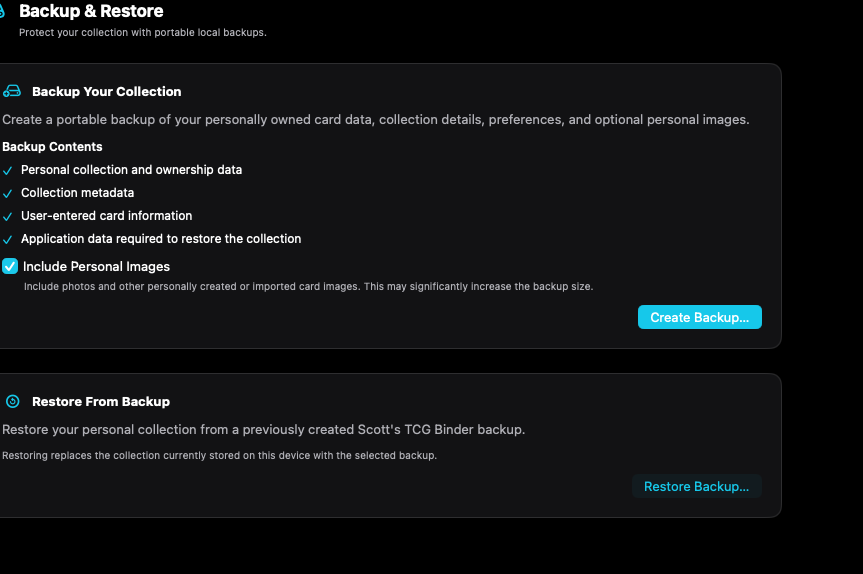
Backup writes a recovery copy. Restore replaces the collection on this device.
Mac, iPhone, and iPad share the same collection model. Each platform presents those records in a layout that fits its screen.
Create and restore stack. Personal images are a switch.
Operational steps, controls, and the annotated screen.