Ownership
Quantity, condition, foil, language, graded state, storage, date added, and scanned date.
 Scott's TCG Binder
Card Details connects catalog information with your own collection record. Review the printing, set information, artwork, ownership details, available pricing, collection photo, and related actions without losing the distinction between shared catalog data and personal collection data.
Mac
shot desktop-card-detail · seq 31 · assets/screenshots/original/desktop/0031.png
iPhone
shot iphone-card-detail · seq 103 · assets/screenshots/original/iphone/card-detail.png
Additional platform screenshots will be added as this guide is expanded.
Quantity, condition, foil, language, graded state, storage, date added, and scanned date.
Estimated market value, source, Compare Prices, Price History, Set Manual Value, and Refresh This Card.
Edit, Duplicate, Move, Add Another, Favorite, For Trade, For Sale, Remove, Replace, Re-recognize, Add to Wishlist, and Build Deck Around This Card.
Card Details opens from Collection. The capture shows Catalog Artwork and My Card Photo, ownership, market actions, card information, and gameplay text. Remove Card is at the bottom of the page.
Mac
shot desktop-card-detail · seq 31 · assets/screenshots/original/desktop/0031.png
iPhone
shot iphone-card-detail · seq 103 · assets/screenshots/original/iphone/card-detail.png
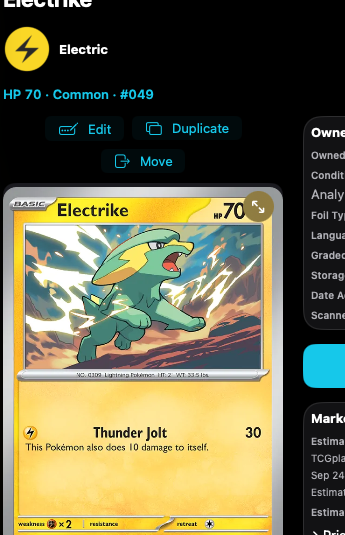
Switch between catalog artwork and the photo of the copy you own.
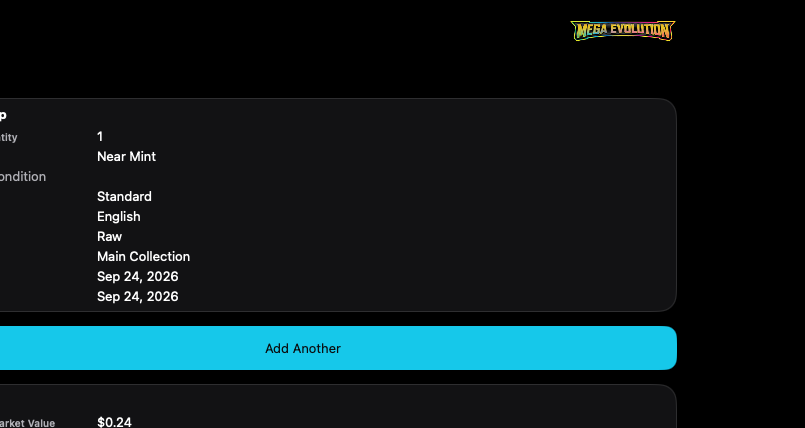
Available pricing sits with quantity, condition, and storage for this copy.
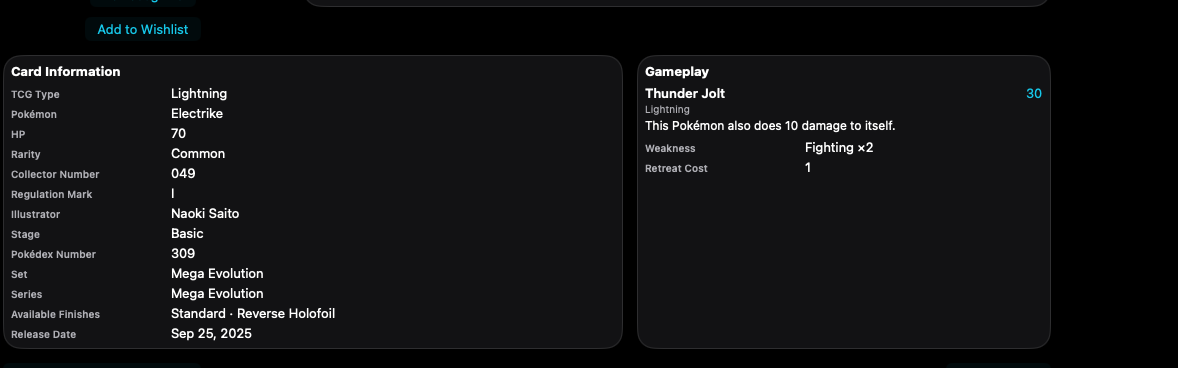
Catalog information describes the printing. It is not the same as your collection record.
Mac, iPhone, and iPad share the same collection model. Each platform presents those records in a layout that fits its screen.
Artwork, actions, and ownership stack on one scrolling screen.
Operational steps, controls, and the annotated screen.