Format and goalmenu
Sets the deck the builder should aim for.
The capture shows Standard and Best I Can Build Now. Other choices were not opened.
Not fully verified in the capture.
 Scott's TCG Binder
Decks generates a recommended deck and stores saved decks.
Decks generates a recommended deck and stores saved decks.
Mac
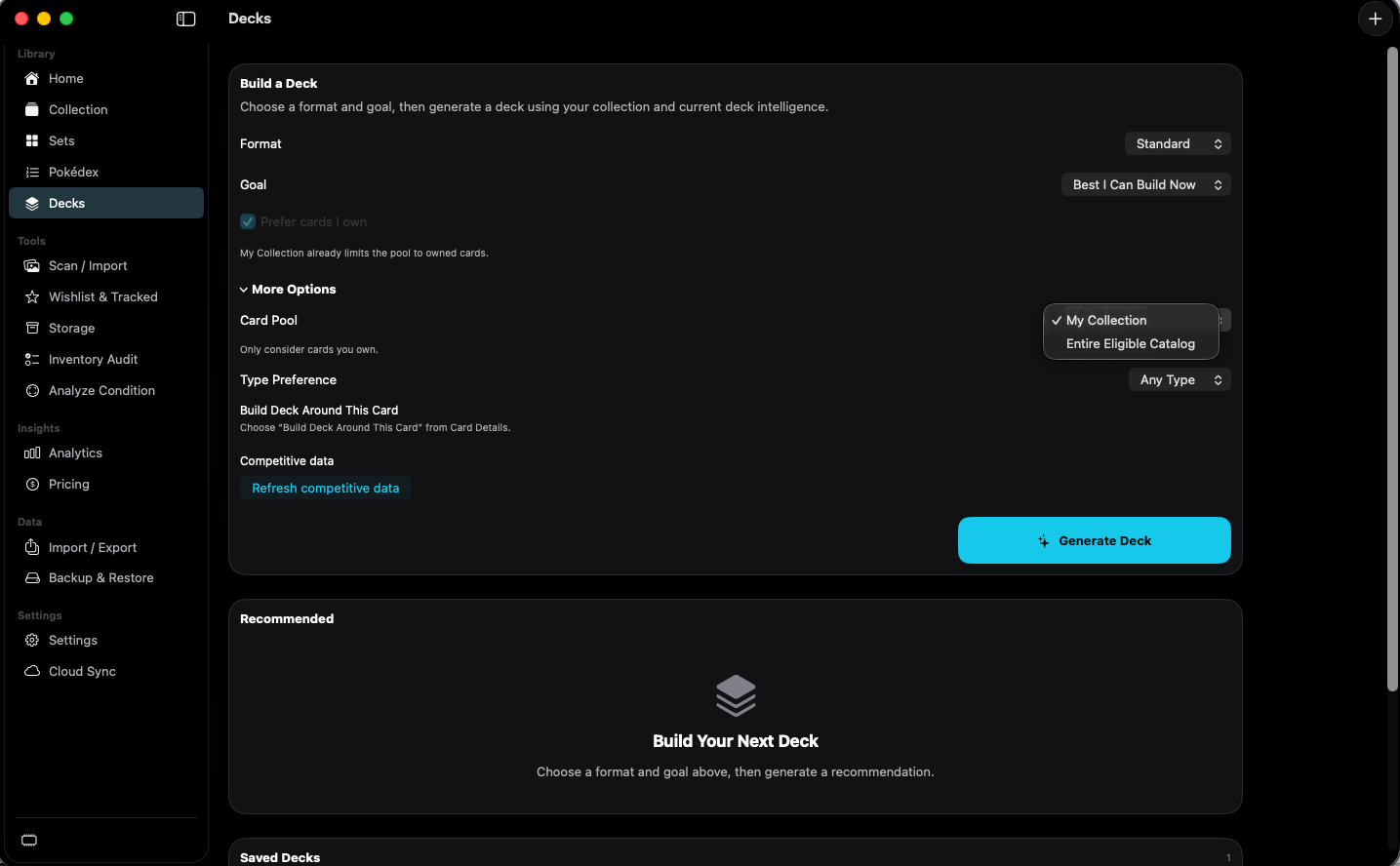
shot desktop-decks · seq 13 · assets/screenshots/original/desktop/0013.png
iPhone
shot iphone-decks · seq 131 · assets/screenshots/original/iphone/decks.png
Additional platform screenshots will be added as this guide is expanded.
Sets the deck the builder should aim for.
The capture shows Standard and Best I Can Build Now. Other choices were not opened.
Not fully verified in the capture.
Chooses which cards the builder may use.
My Collection or Entire Eligible Catalog. Prefer cards I own is also checked, and the page says the collection already limits the pool.
Builds a recommendation from the current options.
The button is labeled Generate Deck. A finished recommendation was not captured.
Not fully verified in the capture.
Build with the catalog and your collection in view.