Browse modes
Browse Series and Browse Sets.
 Scott's TCG Binder
Browse the catalog by Pokémon TCG series and set, then compare the complete set checklist with your collection. Owned and missing cards remain part of the same view, making it easier to decide what to collect next.
Mac
shot desktop-sets · seq 7 · assets/screenshots/original/desktop/0007.png
iPhone
shot iphone-sets · seq 106 · assets/screenshots/original/iphone/sets.png
Additional platform screenshots will be added as this guide is expanded.
Browse Series and Browse Sets.
Filter Series, Filter Year, and Clear Filters. Sort Year, Sort Descending is the visible sort label.
Completion, owned value, All / Owned / Missing, Core / Full / Master, Missing Cards, Set Checklist, and Stop Tracking Set.
Use Browse Series or Browse Sets, search by set name, and filter by series or year. A set page shows completion, owned and missing filters, and the cards in that set.
Mac
shot desktop-sets · seq 7 · assets/screenshots/original/desktop/0007.png
iPhone
shot iphone-sets · seq 106 · assets/screenshots/original/iphone/sets.png

Search sets, switch between series and sets, and filter the catalog.
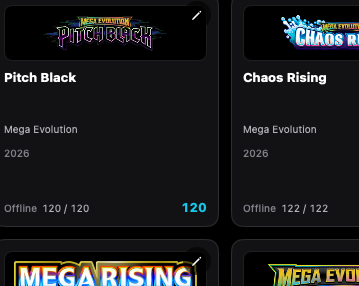
A set card shows the logo, series, year, and how much of the set you own.
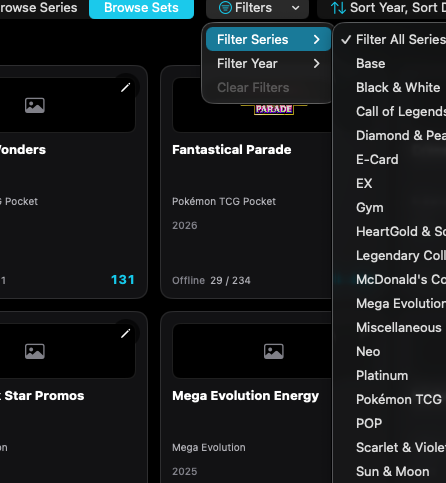
Filter Series limits the browser to one series.
Mac, iPhone, and iPad share the same collection model. Each platform presents those records in a layout that fits its screen.
Series and Sets are a segmented control. Set rows stack.
Operational steps, controls, and the annotated screen.