Search
The field placeholder is Name, set, number, artist.
 Scott's TCG Binder
The Collection brings together the cards you own and the information that makes each copy meaningful. Track quantities and card-specific collection details, search and filter what you own, open individual card records, and connect cards to pricing, storage, photos, condition information, and other collection workflows.
Mac
shot desktop-collection-grid · seq 2 · assets/screenshots/original/desktop/0002.png
iPhone
shot iphone-collection · seq 102 · assets/screenshots/original/iphone/collection.png
Additional platform screenshots will be added as this guide is expanded.
The field placeholder is Name, set, number, artist.
Grid, list, and table. Grid size can be small, medium, or large.
Show or hide Name, Set, Number, Foil, Quantity, Condition, Grade, Location, Estimated Value, Favorite, and Trade. Reset Columns restores the default set.
Catalog Artwork and My Card Photo, ownership fields, Expand Details, and Close.
Collection lists owned cards. Search accepts name, set, number, or artist. Grid, list, and table layouts are available. Table columns can be shown or hidden. Selecting a card opens an inspector.
Mac
shot desktop-collection-grid · seq 2 · assets/screenshots/original/desktop/0002.png
iPhone
shot iphone-collection · seq 102 · assets/screenshots/original/iphone/collection.png

Search and filters stay available above the collection results.
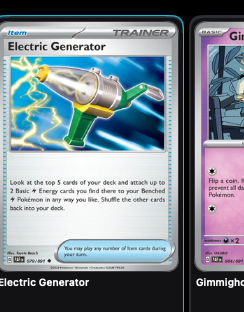
Each result connects the catalog printing to your quantity.
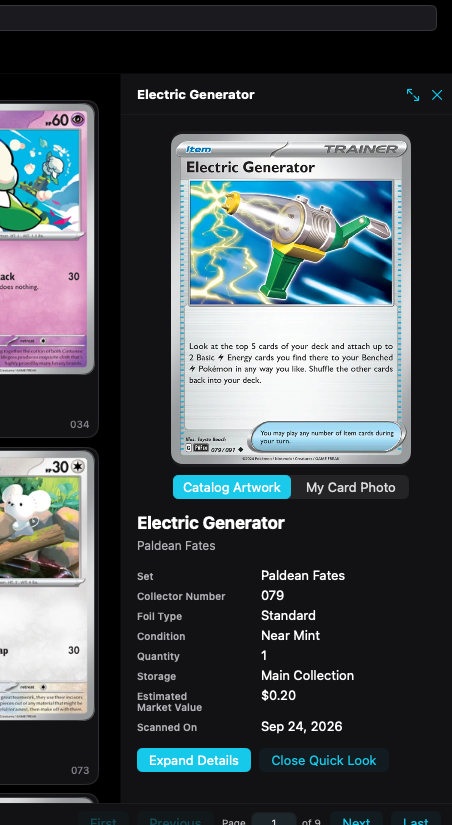
The inspector shows the copy you own without leaving the collection.
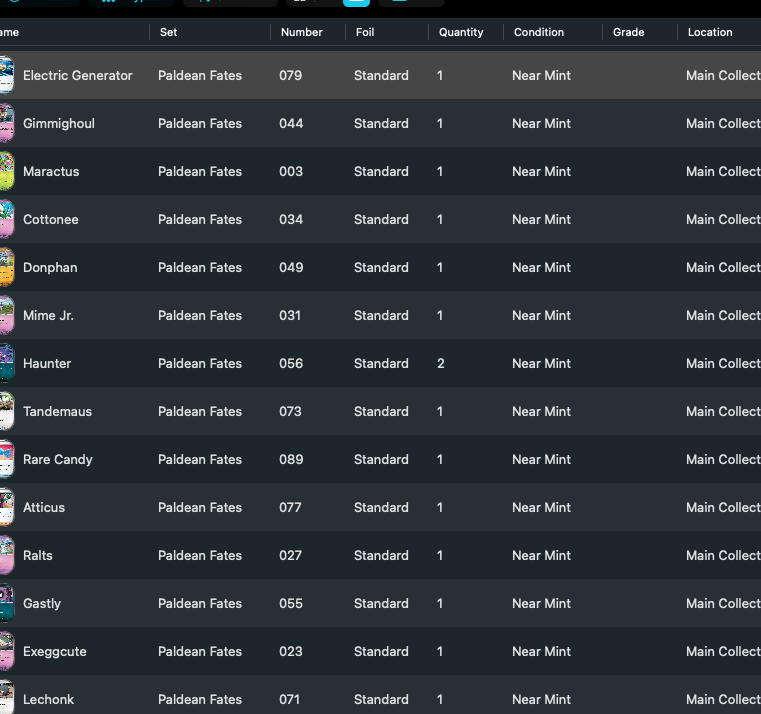
Table rows keep condition, grade, location, and quantity visible together.
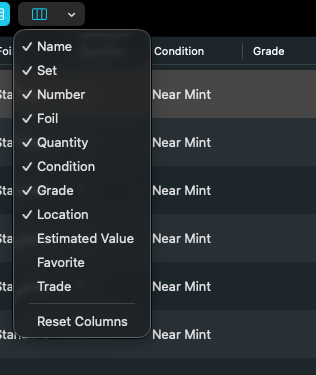
Show or hide collection fields, then reset the table if you want the default columns.
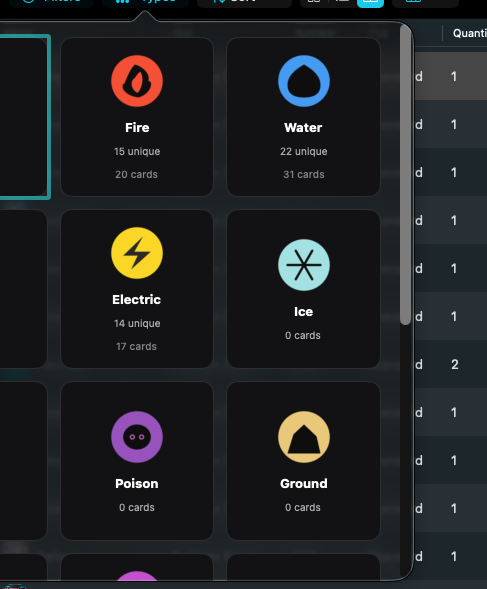
Filter the collection by energy type without changing what you own.
Mac, iPhone, and iPad share the same collection model. Each platform presents those records in a layout that fits its screen.
No side inspector. A card opens Card Details. Table and column chooser are not this layout.
Operational steps, controls, and the annotated screen.