Sync My Collectiontoggle
Turns iCloud collection sync on or off.
On in the current capture, with status Synced and no changes waiting. Turning it off stops transfers and leaves the local collection in place.
 Scott's TCG Binder
Cloud Sync moves the personal collection through private iCloud. It does not sync the Pokémon catalog, scan originals, or pricing history.
Cloud Sync moves the personal collection through private iCloud. It does not sync the Pokémon catalog, scan originals, or pricing history.
Mac
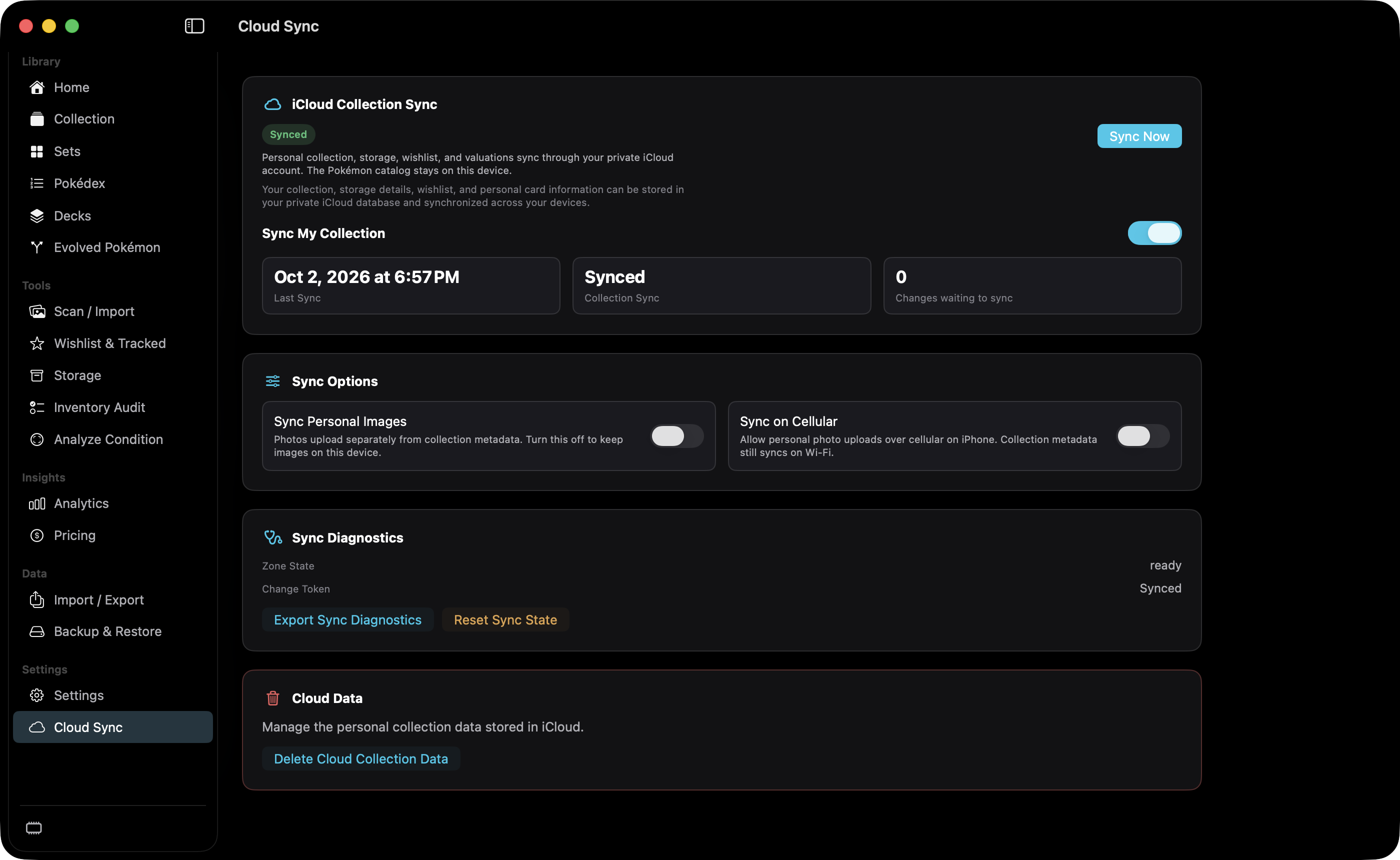
shot desktop-cloud-sync · seq 22 · assets/screenshots/original/desktop/0022.png
iPhone
shot iphone-cloud-sync · seq 121 · assets/screenshots/original/iphone/cloud-sync.png
iPhone
shot iphone-cloud-sync-options · seq 122 · assets/screenshots/original/iphone/cloud-sync-options.png
Additional platform screenshots will be added as this guide is expanded.
Turns iCloud collection sync on or off.
On in the current capture, with status Synced and no changes waiting. Turning it off stops transfers and leaves the local collection in place.
Starts a sync while Sync My Collection is on.
Does nothing useful while the switch is off. The page says to sign in to iCloud when the account is missing. Offline status keeps the local collection and retries later.
Deletes the personal collection data stored in iCloud.
Presented in a separate Cloud Data section. Confirmation was not captured.
Not fully verified in the capture.
Keep supported personal collection data available across devices.