Settings

Settings holds app-wide defaults and maintenance tools. Categories are a second list inside the page.

ConfigureMaciPhone

What this screen does

Settings holds app-wide defaults and maintenance tools. Categories are a second list inside the page.

Mac

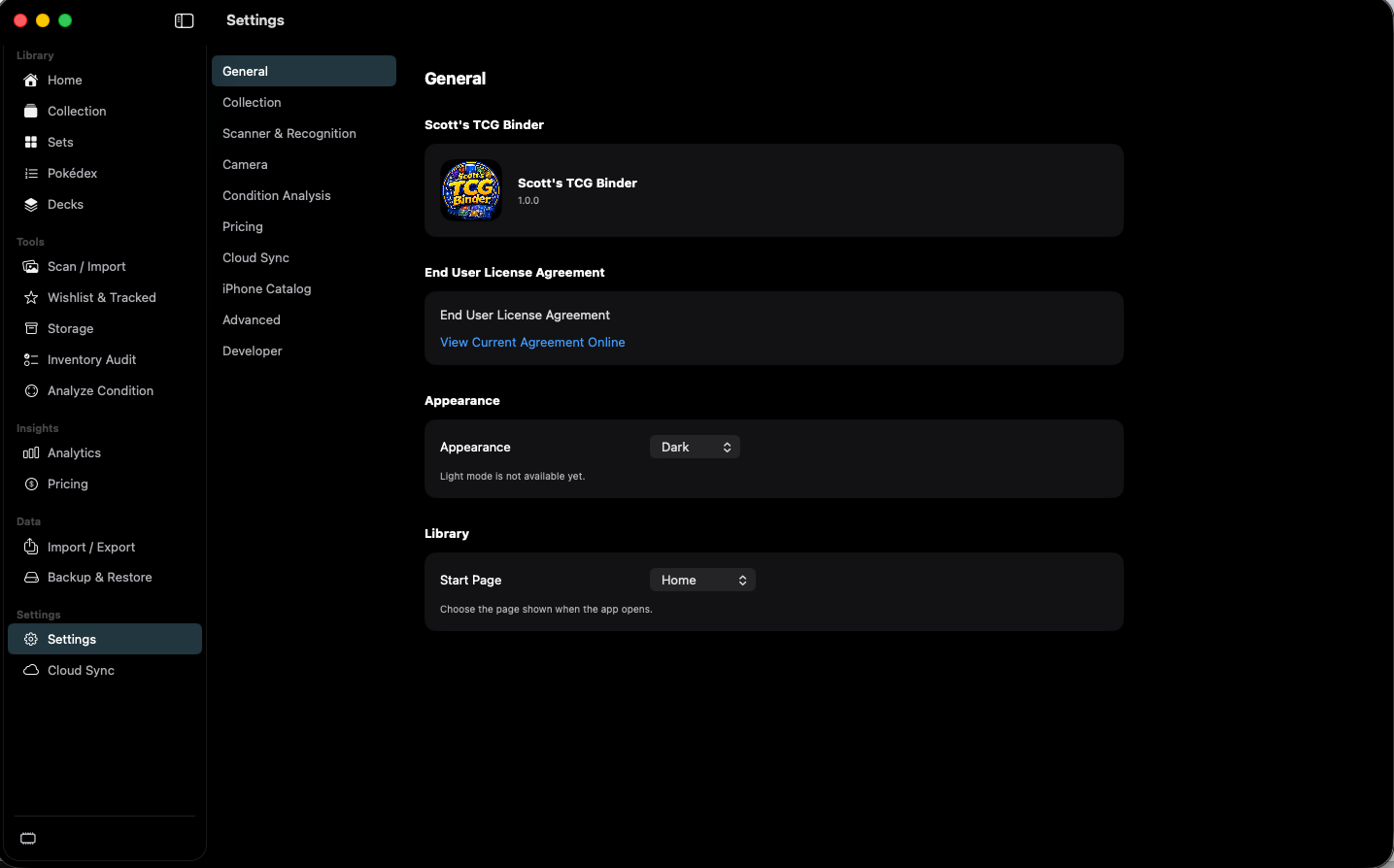
Settings General with version, license, Dark appearance, and Home start page.
Settings — General. Select a number to read that area.

shot desktop-settings-general · seq 23 · assets/screenshots/original/desktop/0023.png

iPhone

iPhone Settings includes the app version and where the catalog comes from.

shot iphone-settings · seq 123 · assets/screenshots/original/iphone/settings.png

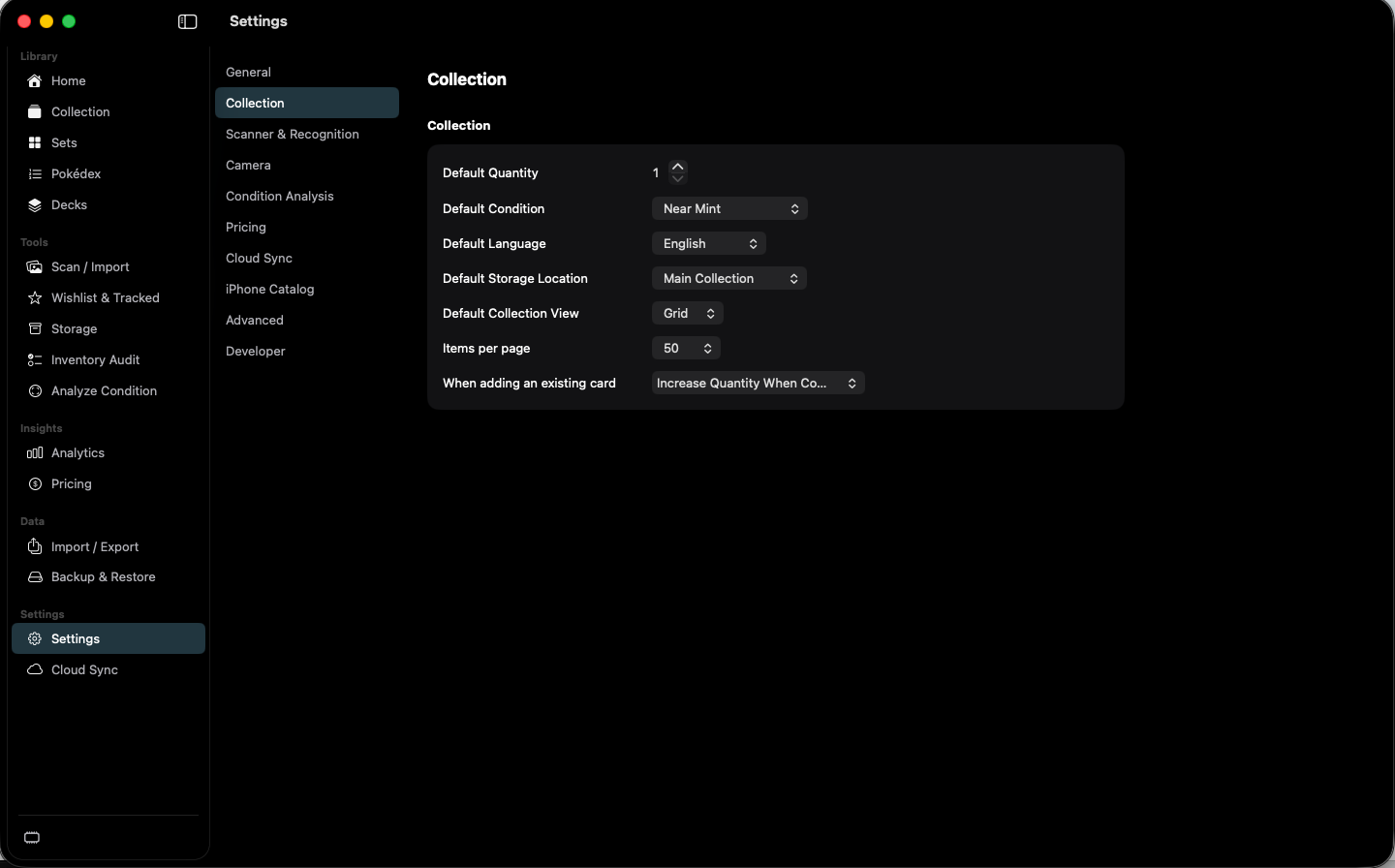
Collection settings for defaults used when adding cards.
Settings — Collection. Select a number to read that area.

shot desktop-settings-collection · seq 24 · assets/screenshots/original/desktop/0024.png

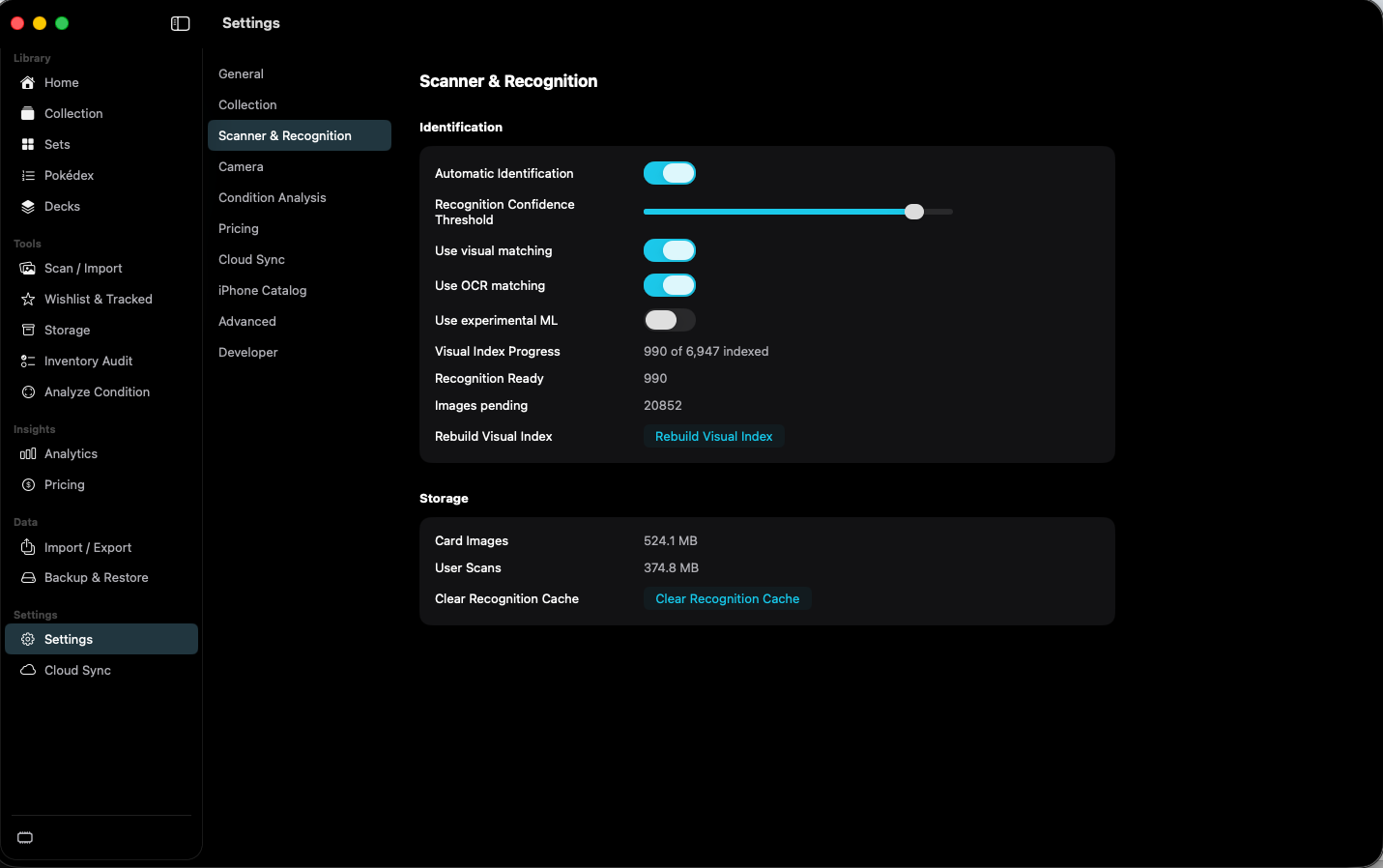
Scanner and Recognition settings with visual index progress.
Settings — Scanner & Recognition. Select a number to read that area.

shot desktop-settings-scanner · seq 25 · assets/screenshots/original/desktop/0025.png

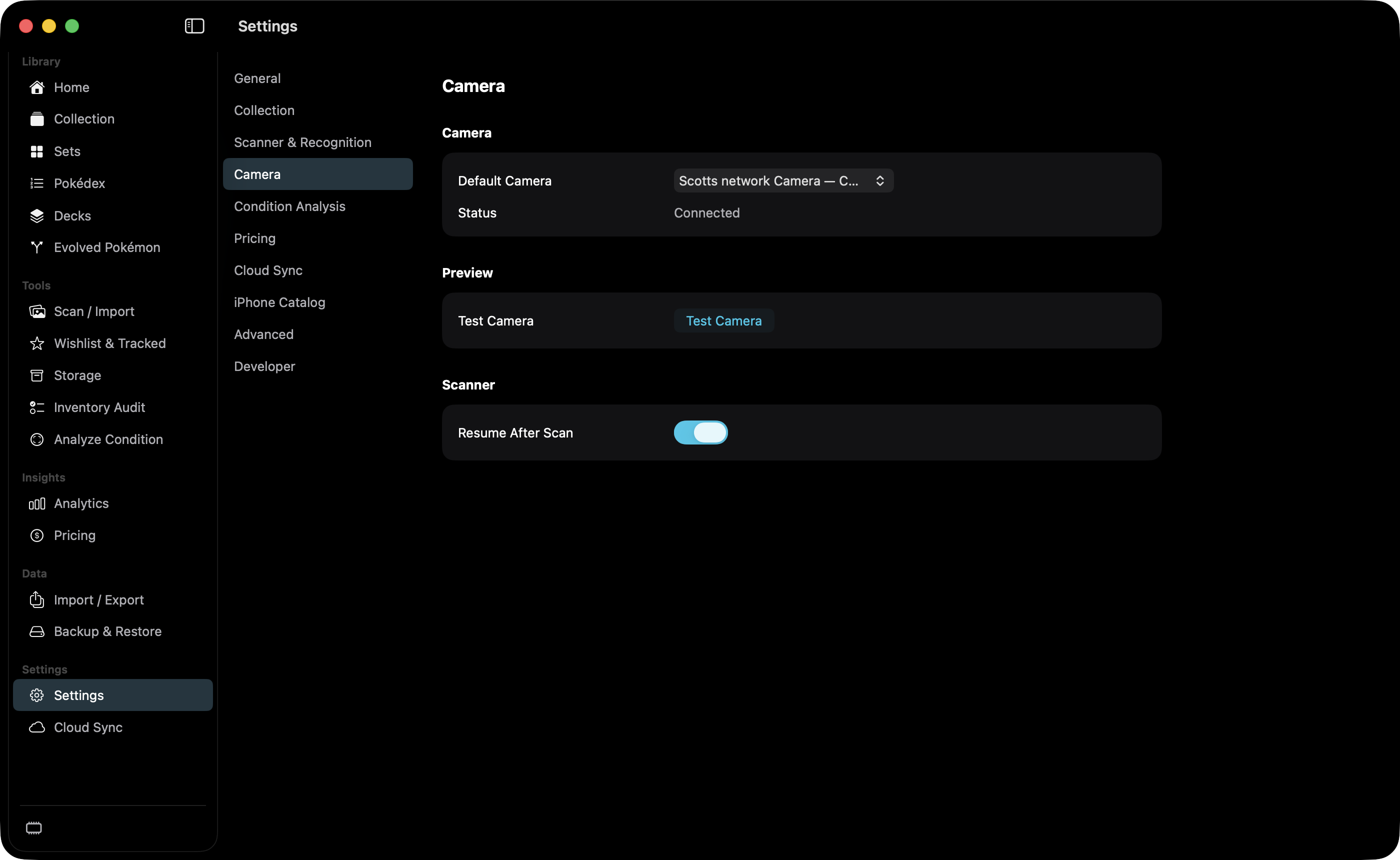
Camera settings with Scotts network Camera selected as a Continuity Camera.
Settings — Camera. Select a number to read that area.

shot desktop-settings-camera · seq 26 · assets/screenshots/original/desktop/0026.png

Mac

Condition analysis can show centering, defects, and a suggestion without replacing the saved condition.

shot desktop-settings-condition · seq 27 · assets/screenshots/original/desktop/0027.png

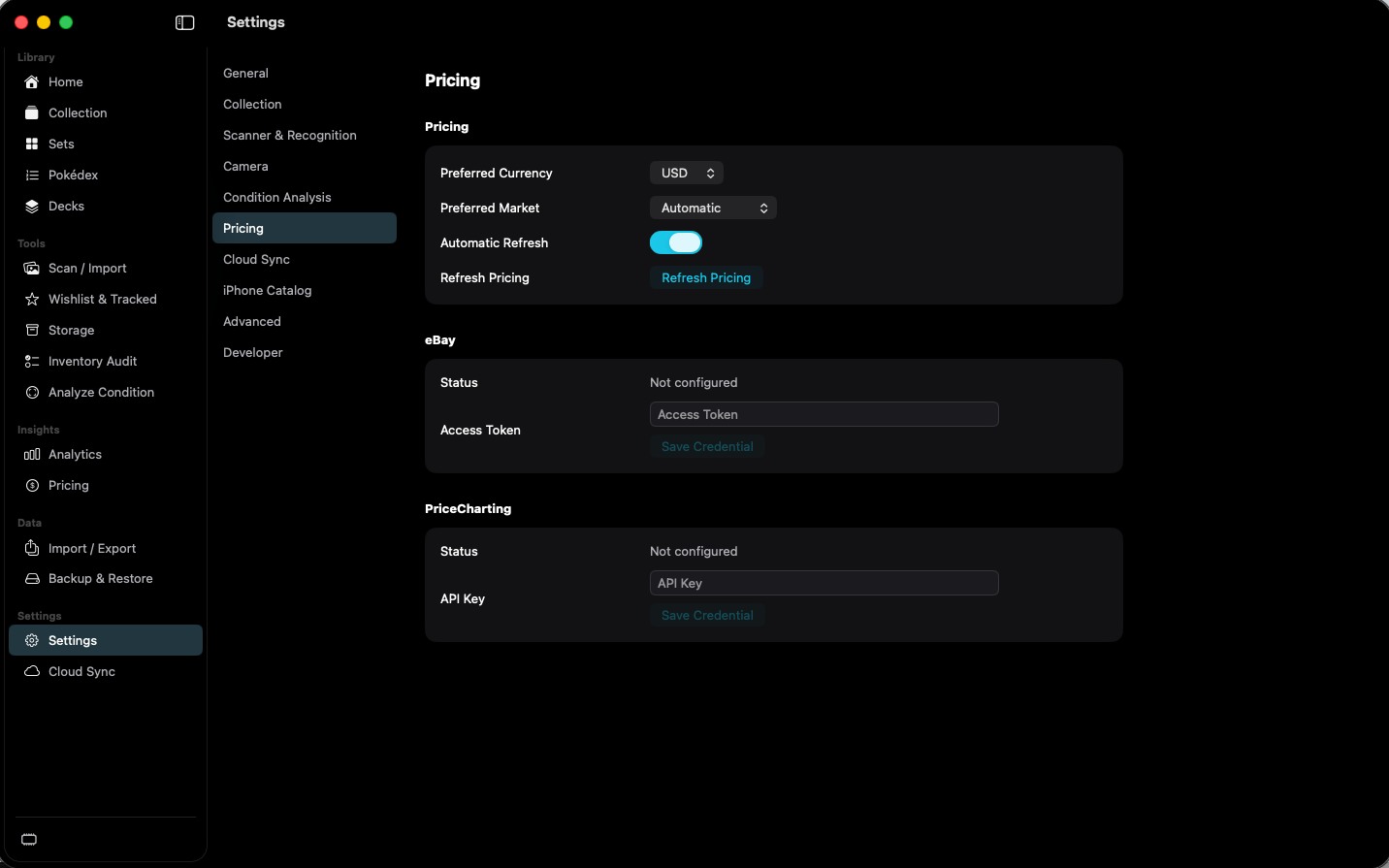
Pricing settings with USD, automatic market, and unconfigured eBay and PriceCharting.
Settings — Pricing. Select a number to read that area.

shot desktop-settings-pricing · seq 28 · assets/screenshots/original/desktop/0028.png

Mac

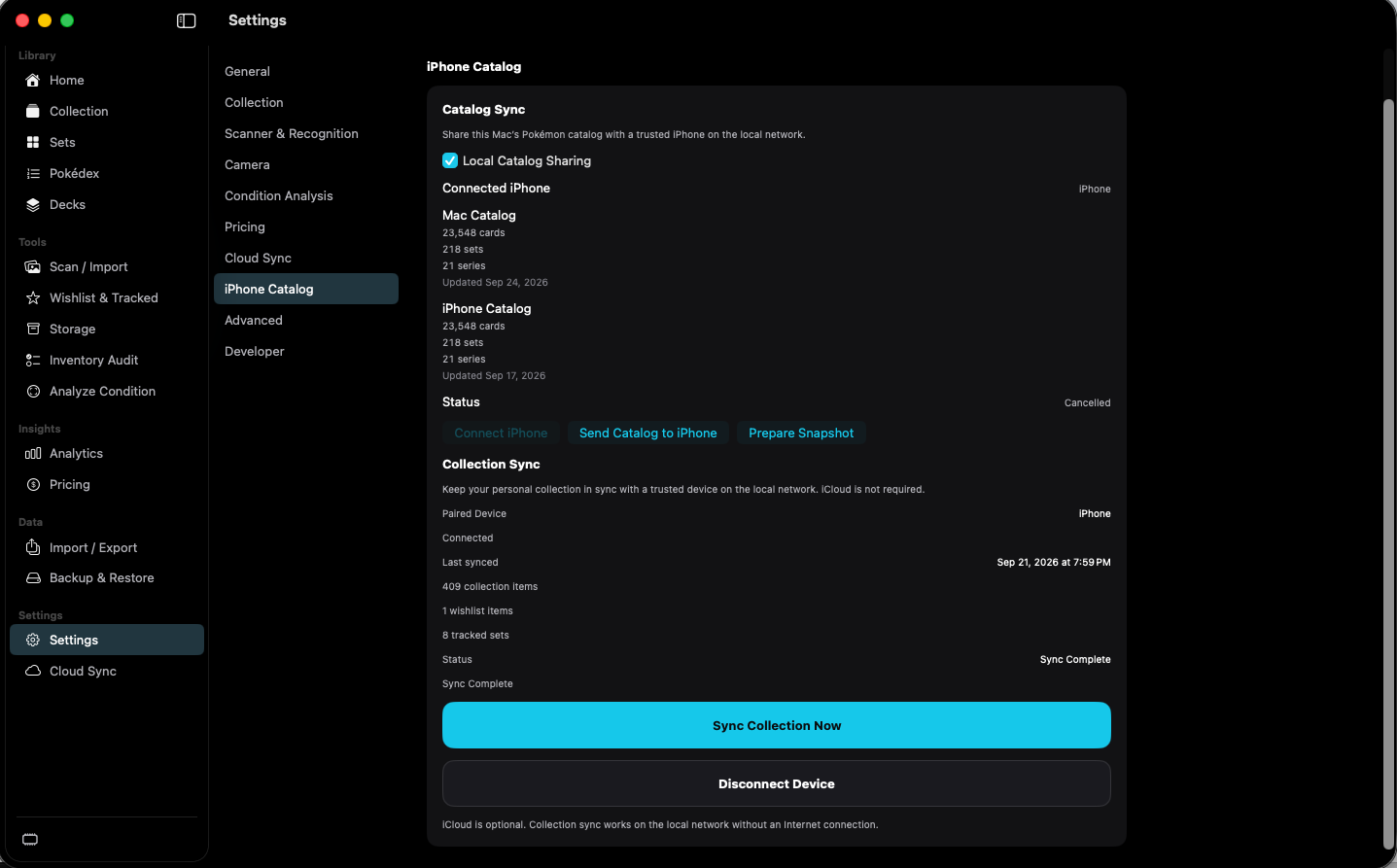
iPhone Catalog settings comparing Mac and iPhone catalogs.
Settings — iPhone Catalog. Select a number to read that area.

shot desktop-settings-iphone · seq 29 · assets/screenshots/original/desktop/0029.png

iPhone

Update the iPhone catalog from a paired Mac, or sync collection records on the local network.

shot iphone-settings-catalog · seq 124 · assets/screenshots/original/iphone/settings-catalog.png

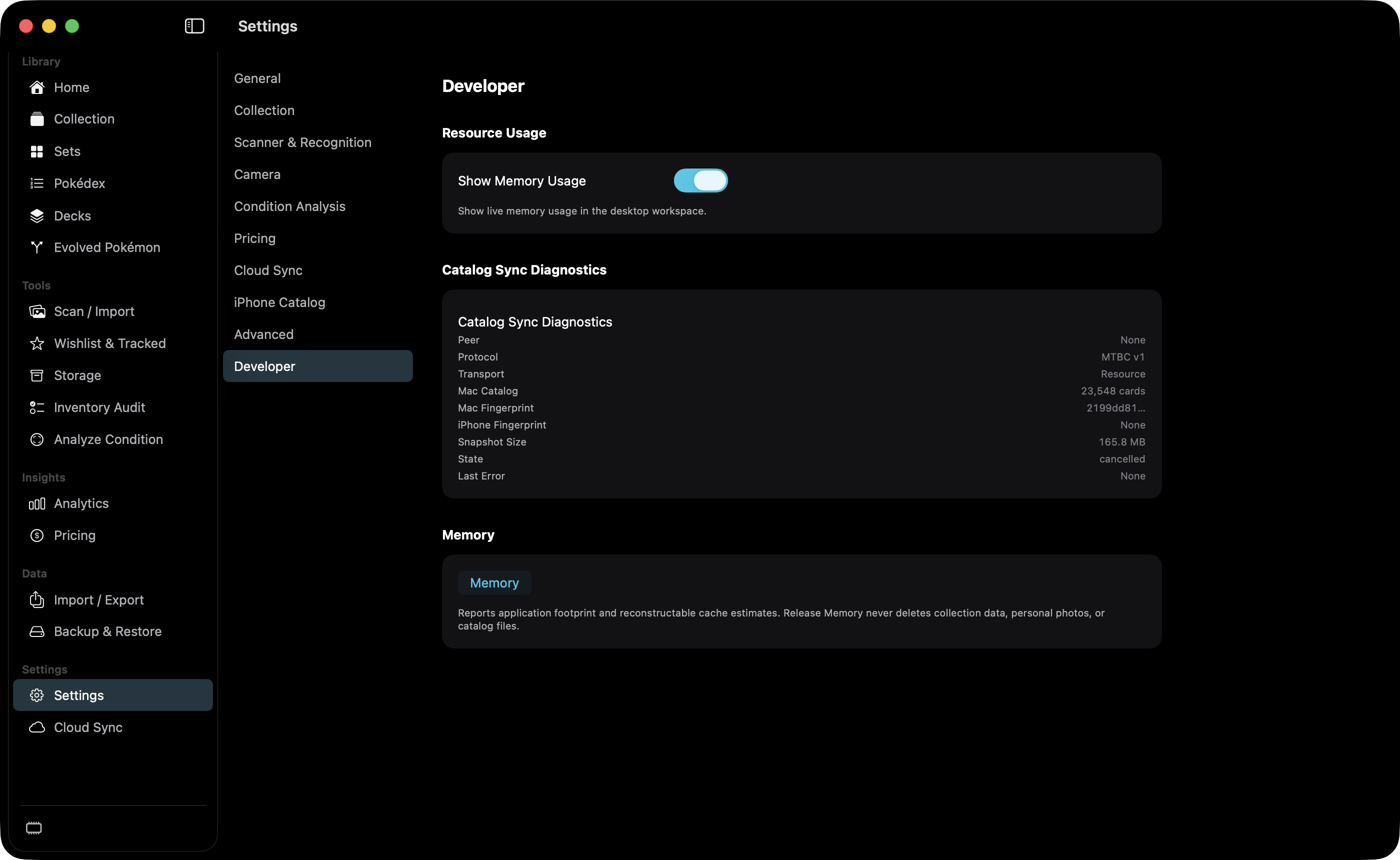
Developer settings with Show Memory Usage and Catalog Sync Diagnostics.
Settings — Developer. Select a number to read that area.

shot desktop-settings-developer · seq 30 · assets/screenshots/original/desktop/0030.png

Additional platform screenshots will be added as this guide is expanded.

Screen areas

  1. General. Version 1.0.0 in the capture, license link, appearance, and start page. Light mode is not available yet.
  2. Collection. Default quantity, condition, language, storage, view, page size, and duplicate behavior.
  3. Scanner & Recognition. Identification toggles, confidence, index progress, and cache actions.
  4. Camera. Default Camera, status, Test Camera, and Resume After Scan. The open control shows the selected device. Continuity Camera names end with “ — Continuity Camera”.
  5. Pricing. Currency, market, refresh, and optional eBay and PriceCharting credentials.
  6. iPhone Catalog. Local catalog sharing and collection sync with a paired iPhone.
  7. Advanced. Not captured. The implementation includes catalog pricing build controls, database information, image cache, catalog update, and a personal-data purge.
  8. Developer. Show Memory Usage and Catalog Sync Diagnostics. Remote-camera discovery is not on this screen.

How to use

  1. Pick a category in the settings list, not the main sidebar.
  2. Change a default before the next add or scan if you want that default applied.
  3. Use destructive actions (clear cache, delete cloud data, purge) only when that data should be removed.

Controls

Appearancemenu

Selects the app appearance.

Dark is selected. The page says light mode is not available yet.

Collection defaultsform

Defaults applied when a card is added.

The capture shows quantity 1, Near Mint, English, Main Collection, Grid, 50 items per page, and Increase Quantity When Compatible.

Default Cameramenu

Chooses the capture device.

The closed control in this capture reads Scotts network Camera — C…, which is that iPhone’s name plus the Continuity Camera suffix, truncated by the row. Status reads Connected. Test Camera is in Preview. Resume After Scan is on. Auto-capture and capture delay are not shown.

Pricing preferencesform

Sets currency, market, and refresh.

USD, Automatic, and Automatic Refresh on. eBay and PriceCharting both read Not configured.

Show Memory Usagetoggle

Shows live memory usage in the desktop workspace.

On in the Developer capture, under Resource Usage. Catalog Sync Diagnostics is on the same page. Remote-camera discovery is not.